 Using Gozilla to download song from Homestead server
1. If you
left click the song's link on this site and you see this page pop up.
This means that you are about to download a song from homestead server.

2.
Copy the link by "Right Click" => "Copy Shortcut"
( for Netscape "Copy Link Location" )

3.
Go to Gozilla then click on "File List" => "Add File"
(
Notes : You can download Gozilla at http://www.gozilla.com.
It's Free. )

4.
Paste the link on the Address field by "Right Click" => "Paste"
=> "Click OK"

5.
Click "Save As" to choose your destination folder then press
Download Now
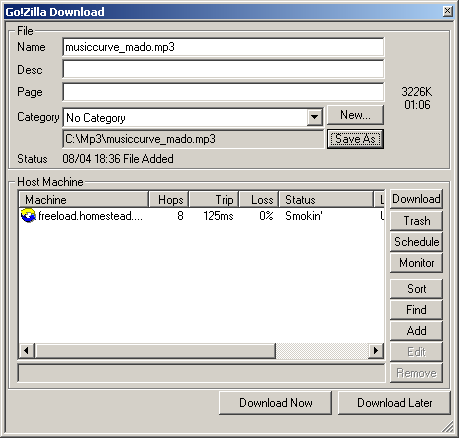
6.
The download status window will appear. Sometimes, the attempt is up to
50 times before it works,
depending
on the traffic.

|
